
Calibration
Magnetometer calibration
Magnetometer calibration is required if you want the EFIS to display magnetic heading instead of GPS track. Calibration is done in flight by making a series of turns at different bank angles, following prompts on the EFIS.
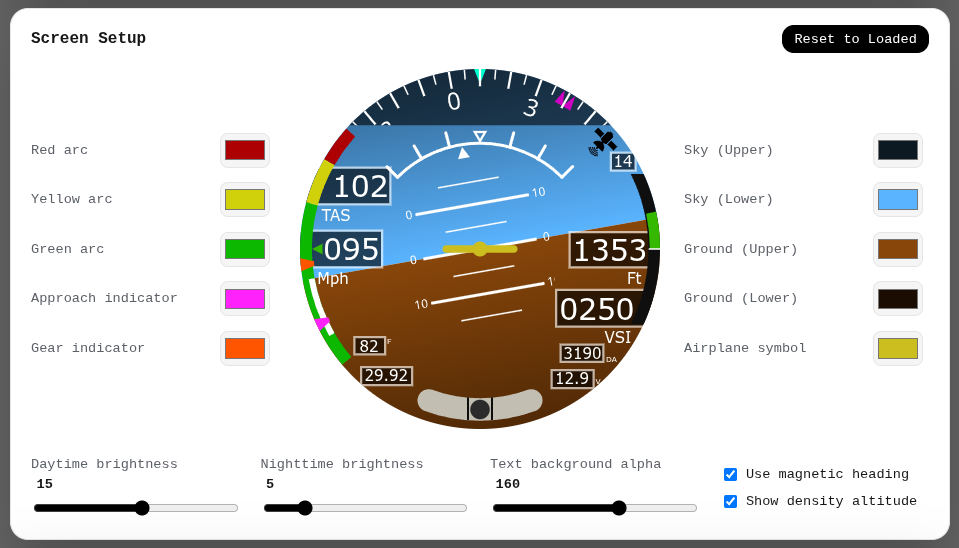
Make sure your EFIS is running firmware v0.4.5 or later, and enable the magnetometer by checking Use magnetic heading in the Screen setup section of the EFISConfig webapp.
Fly safe!
Perform clearing turns before starting and maintain a safe altitude during the following procedure. You can abort the procedure at any point if you are unable to complete it safely.
The procedure can be started from any heading, and each turn can start from a different heading. A GPS 3D fix is required before the procedure can start. The procedure is four 360° turns: two in each direction, at two different bank angles.
| Turn | Direction | Bank angle |
|---|---|---|
| 1 | Left | 15-20° |
| 2 | Left | 30-40° |
| 3 | Right | 15-20° |
| 4 | Right | 30-40° |
- Perform a clearing turn to make sure the area is clear. Start the procedure from straight and level flight, and maintain altitude throughout.
- On the Directional Gyro screen, long press the encoder to start magnetometer calibration.
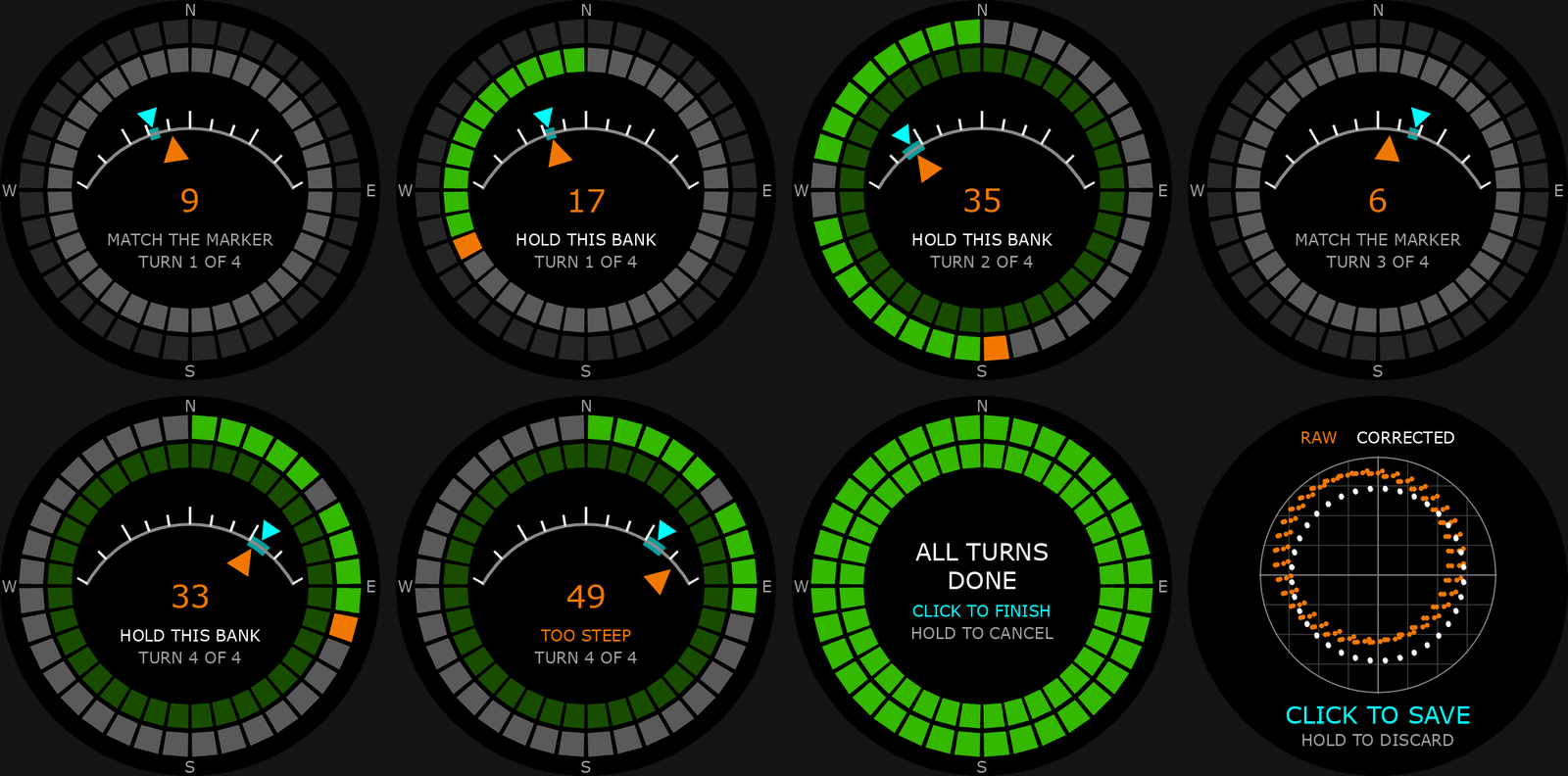
- Follow the on-screen prompts. Match the requested bank angle (cyan triangle) by lining up your bank angle (orange triangle) with it.
- After all turns have been completed, click the encoder to process the data. A long press will cancel the current calibration and throw away the data.
- A graph shows the raw and corrected data points. An ideal calibration forms a perfect circle centered on the graph. The calibration corrects for hard iron and soft iron effects.
- Click to save the calibration. It is applied immediately. Fly a box pattern to check how well it performs.
The two segmented rings show the status of sample collection. An orange sector shows where magnetometer readings are currently being collected, and a green sector shows where valid data has been collected. Readings are not collected while you are over- or under-banked. If not enough data is collected for a sector, it stays grey. The calibration can still be completed, and still performs very well, with up to 2 missed sectors per turn.